Citations
APA, MLA, and Chicago citations in Markdown.
Minidocs handles citations inside the document — numbered markers in the text, a formatted reference list at the end, in APA, MLA, Chicago, or plain style. No external reference manager required.

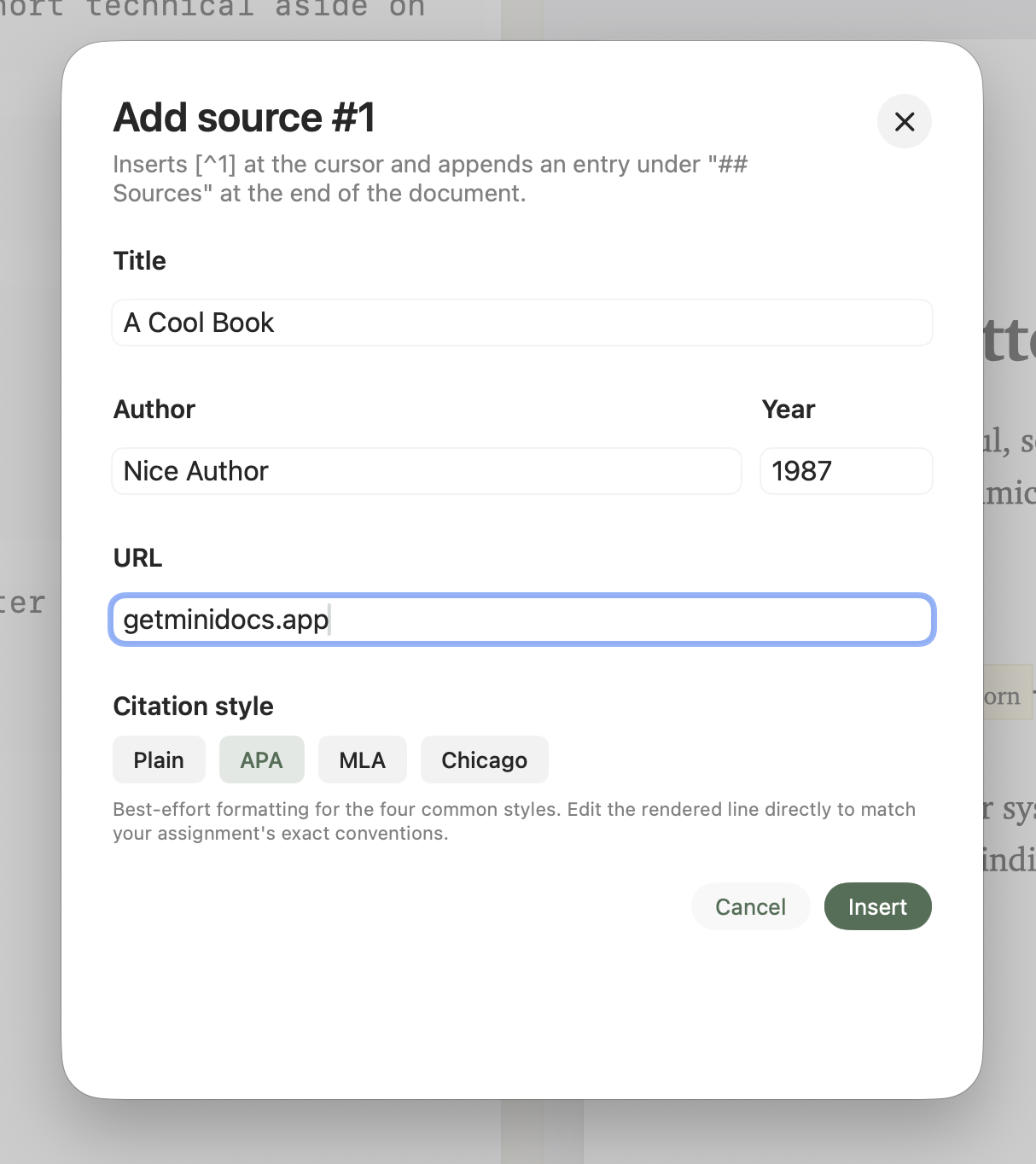
How citations work in Minidocs
Type /source to open the citation sheet. Fill in the fields — author, title, year, publisher, URL — and Minidocs inserts a numbered citation marker at the cursor position and adds the reference to a source list at the end of the document. Everything stays in one file.
APA, MLA, Chicago, and plain
Switch the citation style in the document settings. Minidocs reformats every reference in the list — APA puts the year after the author, MLA uses a different hanging-indent structure, Chicago uses footnote-style numbering, plain keeps numbered brackets. The markers in the body text stay consistent across styles.
Auto-generated reference list
Minidocs collects every source you add and renders a reference list at the end of the document. The list updates as you add or edit sources — no manual formatting, no copy-pasting bibliographies from another tool.
Citations export to PDF, slides, and HTML
Citation markers and the reference list export cleanly to PDF with proper formatting, to slides as a final "References" section, and to HTML as an inline list. The same source file produces all three outputs.
Good fits
- Essays, reports, and papers that need APA or MLA formatting.
- Thesis and dissertation chapters with structured bibliographies.
- Engineering RFCs and technical specs that cite prior work or standards.
- Any document where citations need to be tracked alongside the prose.
Citations FAQ
Does Minidocs support APA citations?
Yes. APA, MLA, Chicago, and plain numbered styles are supported. Switch styles and the reference list reformats automatically.
How do I add a citation?
Type /source to open the citation sheet. Fill in the source fields and Minidocs inserts the marker in the text and the reference in the list.
Can I change the citation style after writing?
Yes. Switch the style at any time — the reference list reformats automatically.
Do citations export to PDF?
Yes. Citation markers and the reference list export cleanly to PDF, slides, and HTML.